How it works
From the front door to an approved proposal
Six steps, in the order you already work. nobla’s own screens, shown with sample jobs.
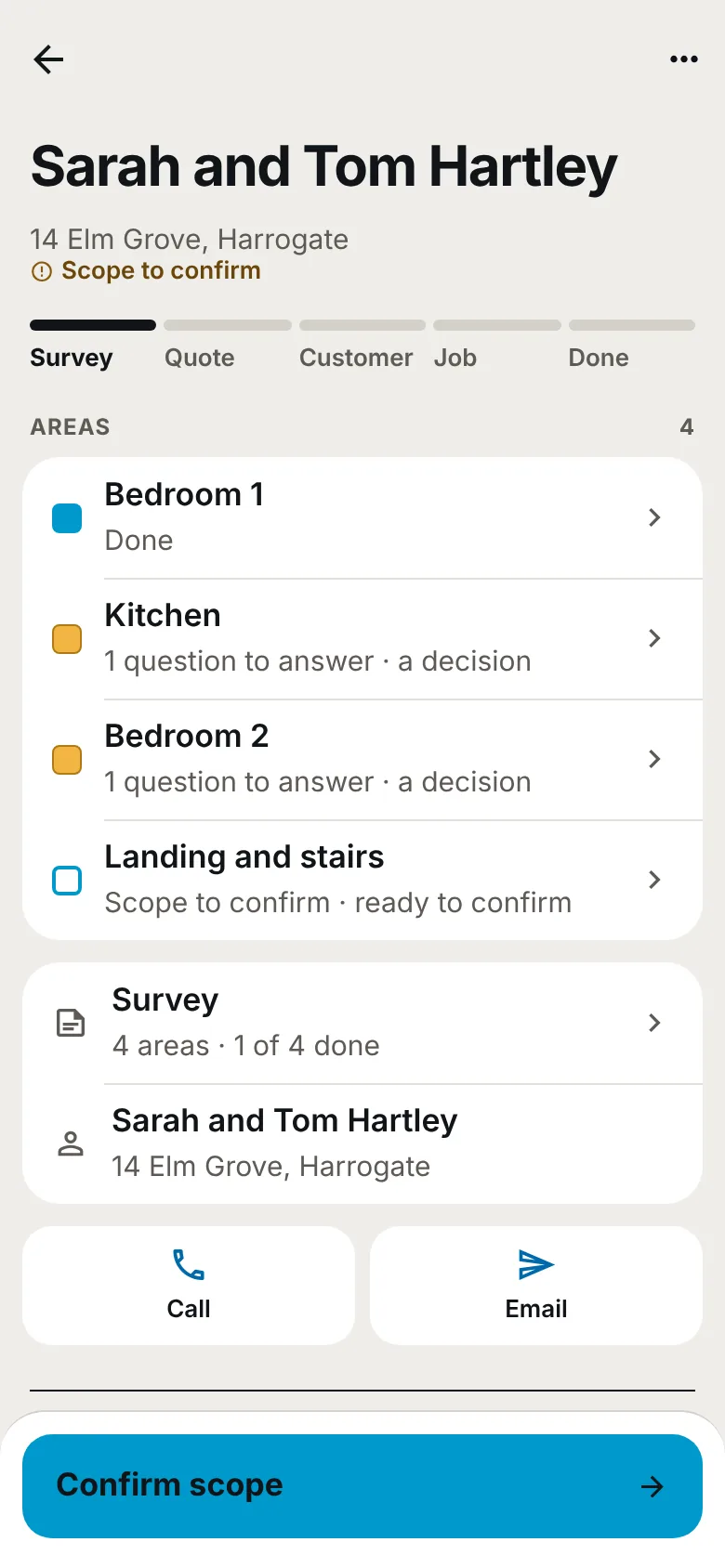
Create the job
Add the customer and the property once. From then on the job holds the survey, the scope, the quote and the proposal, and Today tells you what needs you next.
- Customer, property and work in one record
- Survey, quote, customer and job stages at a glance
- Call or email the customer from the job
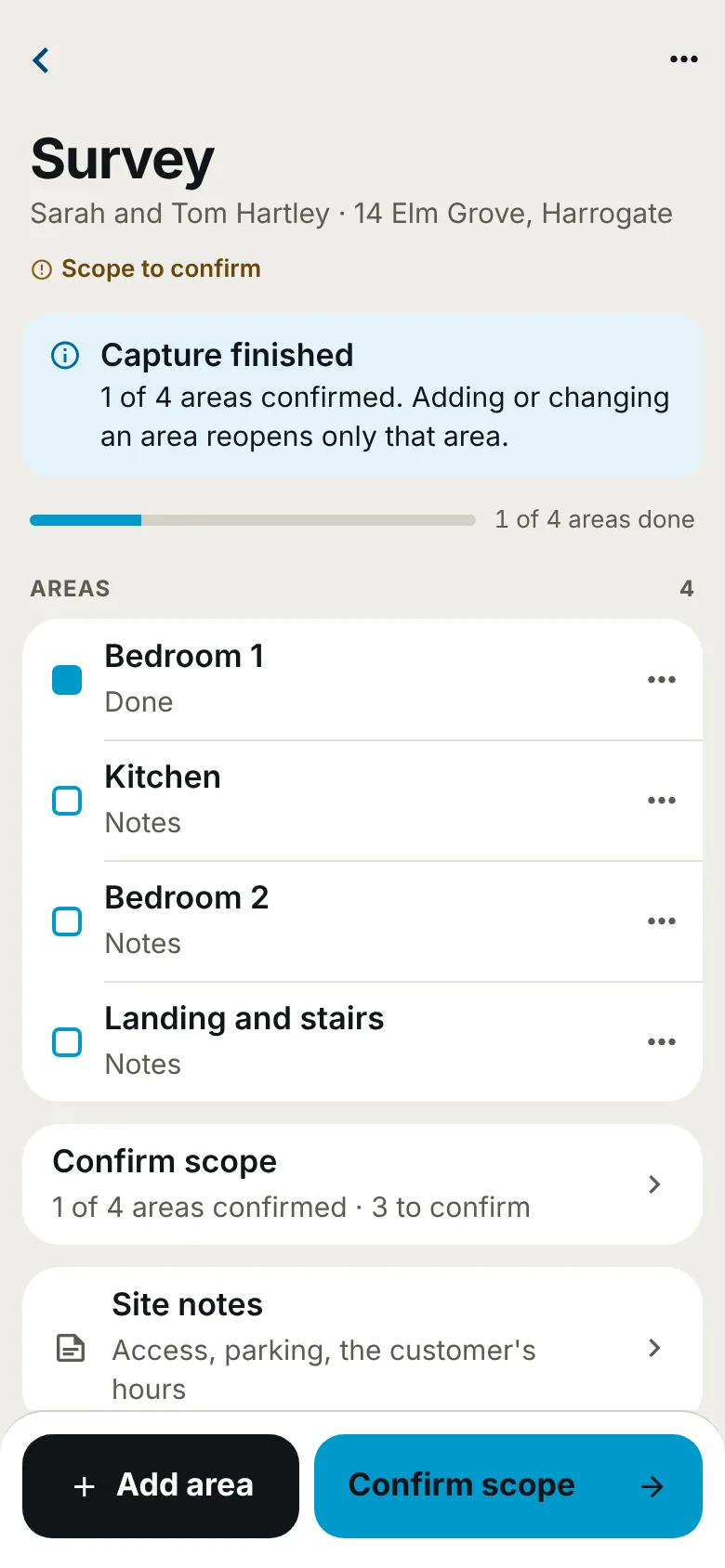
Survey the property, or receive a Remote Survey
On site, walk the property room by room. Each room holds its surfaces, condition, photos and your notes, and site notes cover access, parking and the customer’s hours. If you can’t get there yet, send a Remote Survey link and start from what your customer sends.
- Walls, ceilings, skirting, doors and frames, windows, radiators
- Photos stay with the room they belong to
- A Remote Survey arrives for you to review, never straight into the job
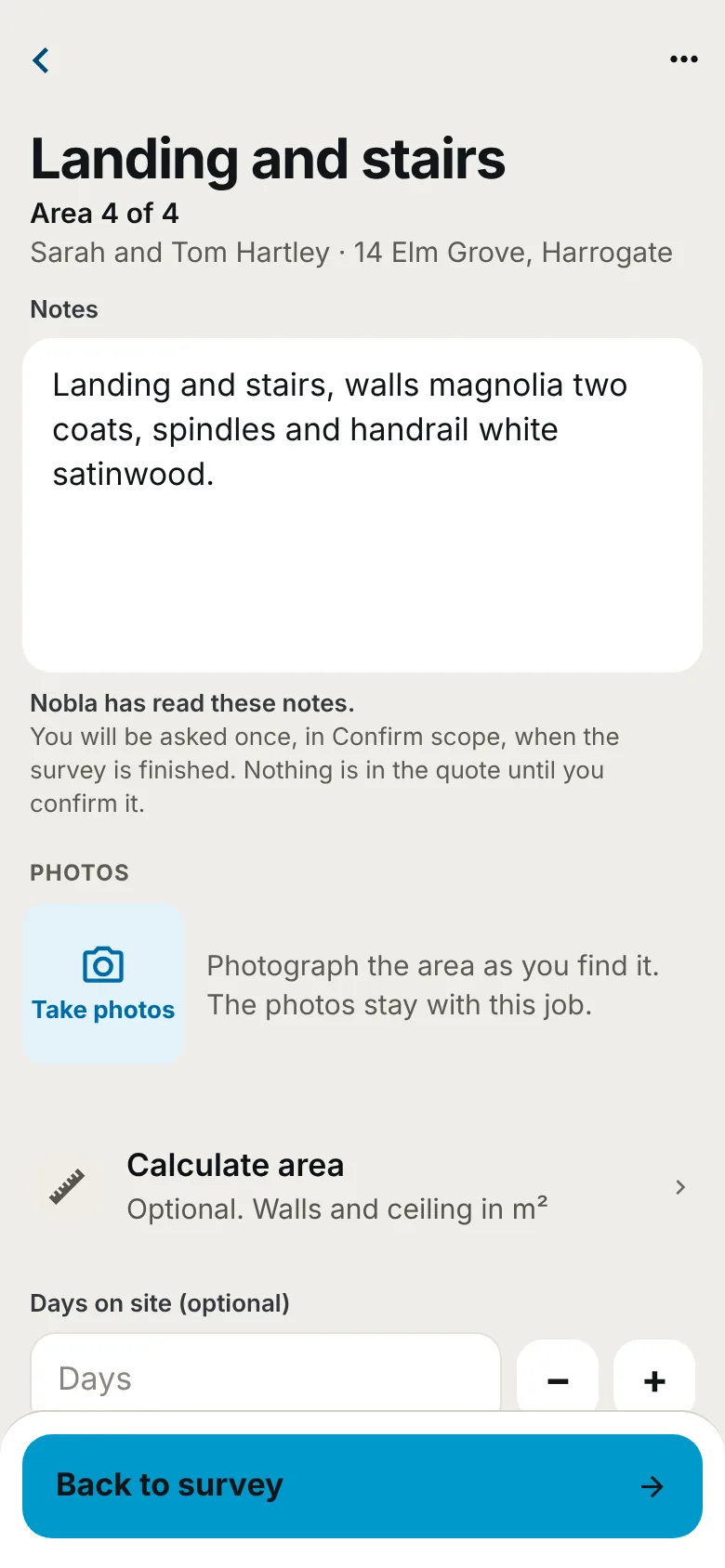
Write it the way you’d say it
Note the work in your own words: “Walls magnolia two coats, spindles and handrail white satinwood.” Note the prep too, such as filling cracks, sanding back and undercoating. Enter measurements yourself, with an optional helper for wall and ceiling areas.
- Your notes in your words
- An optional m² helper for walls and ceilings
- Days on site, if you want to say
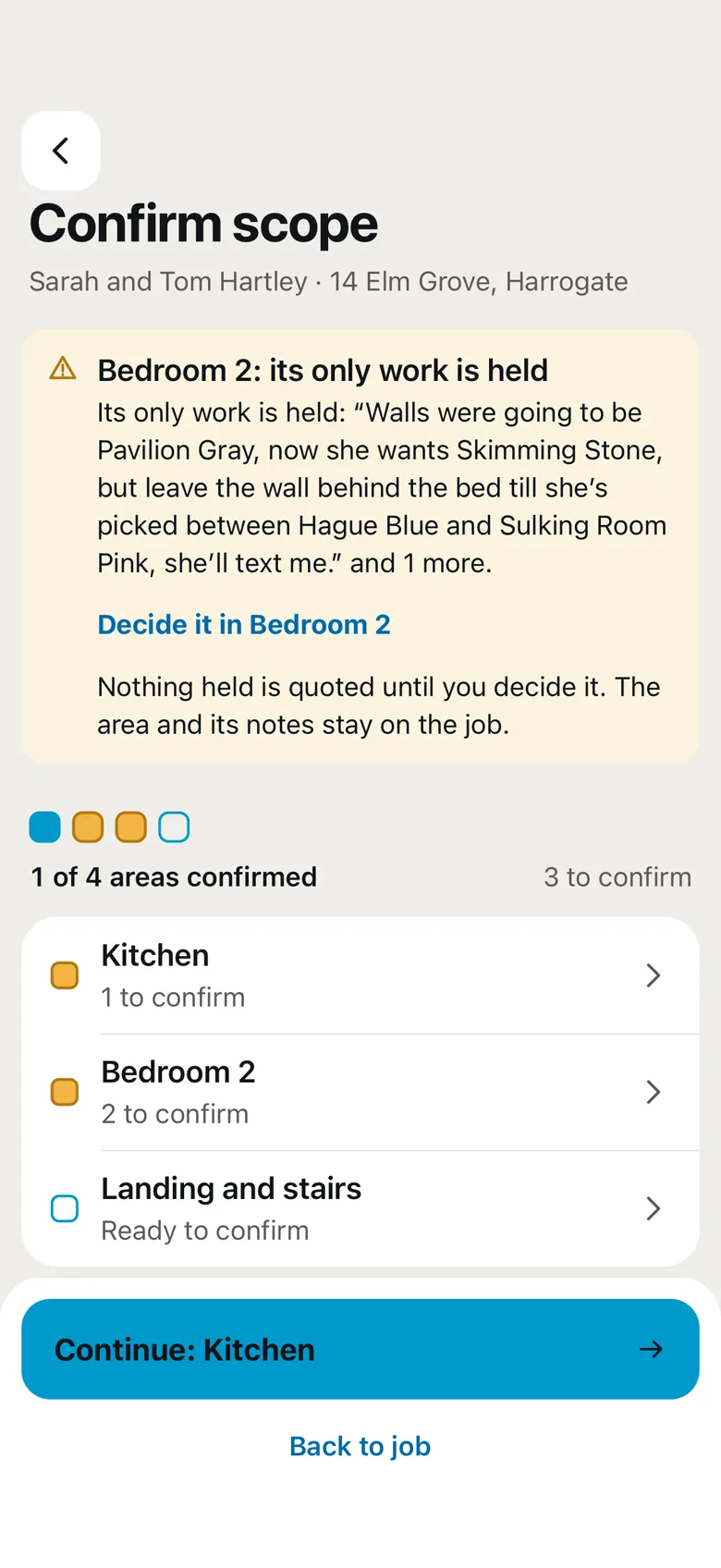
Review and confirm the scope
nobla reads your notes and asks a question where something isn’t clear, instead of guessing. You confirm each room. Anything you’re leaving out is recorded as left out.
- One room at a time, with the questions that need an answer
- Nothing goes into the quote until you confirm it
- Exclusions carried through to the proposal
Enter your prices
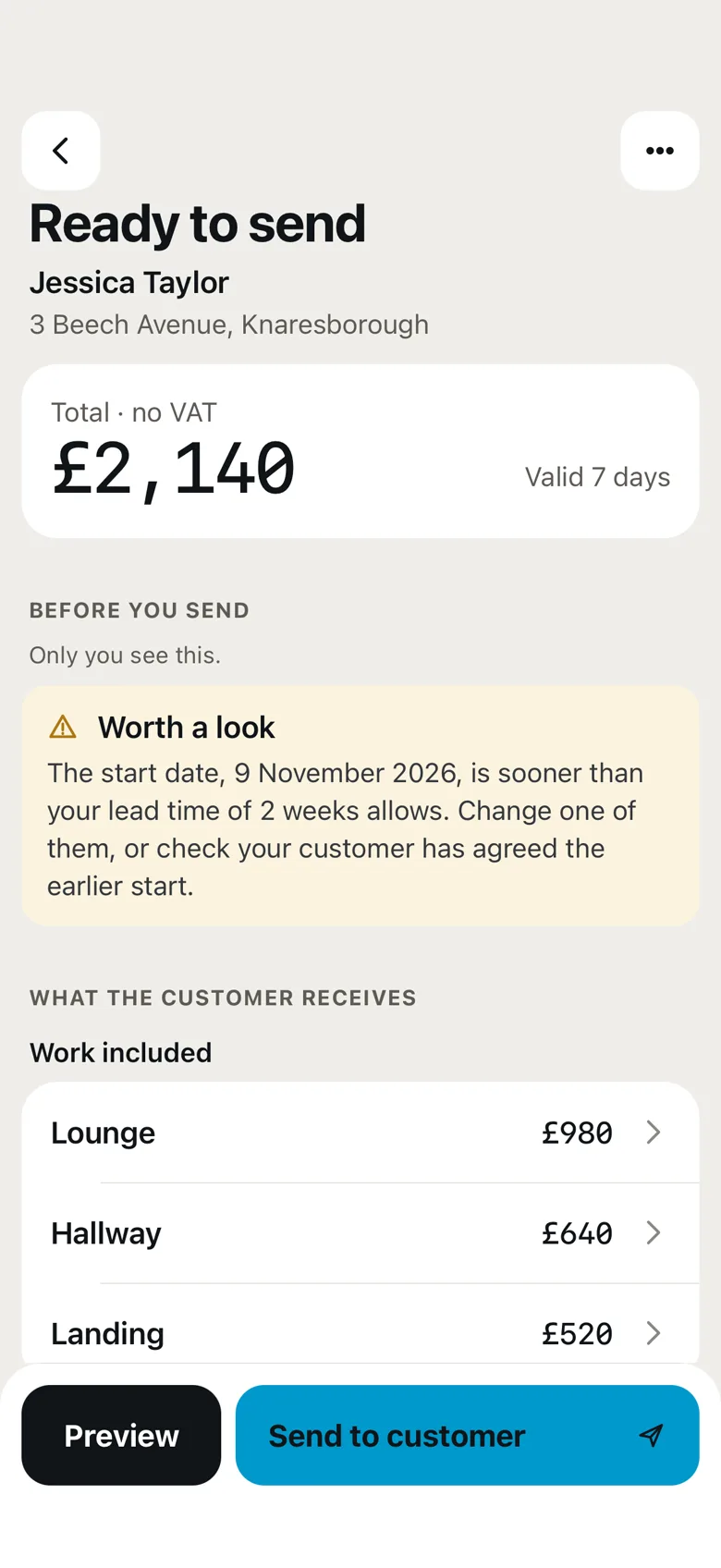
Price each room as one figure or line by line. Add VAT, a deposit and a timeline showing when you can start and how long the job will take. nobla adds it up. It never decides what the work is worth.
- Per-room or itemised prices
- VAT and deposit on the quote
- A start date and duration your customer can see
Create the proposal
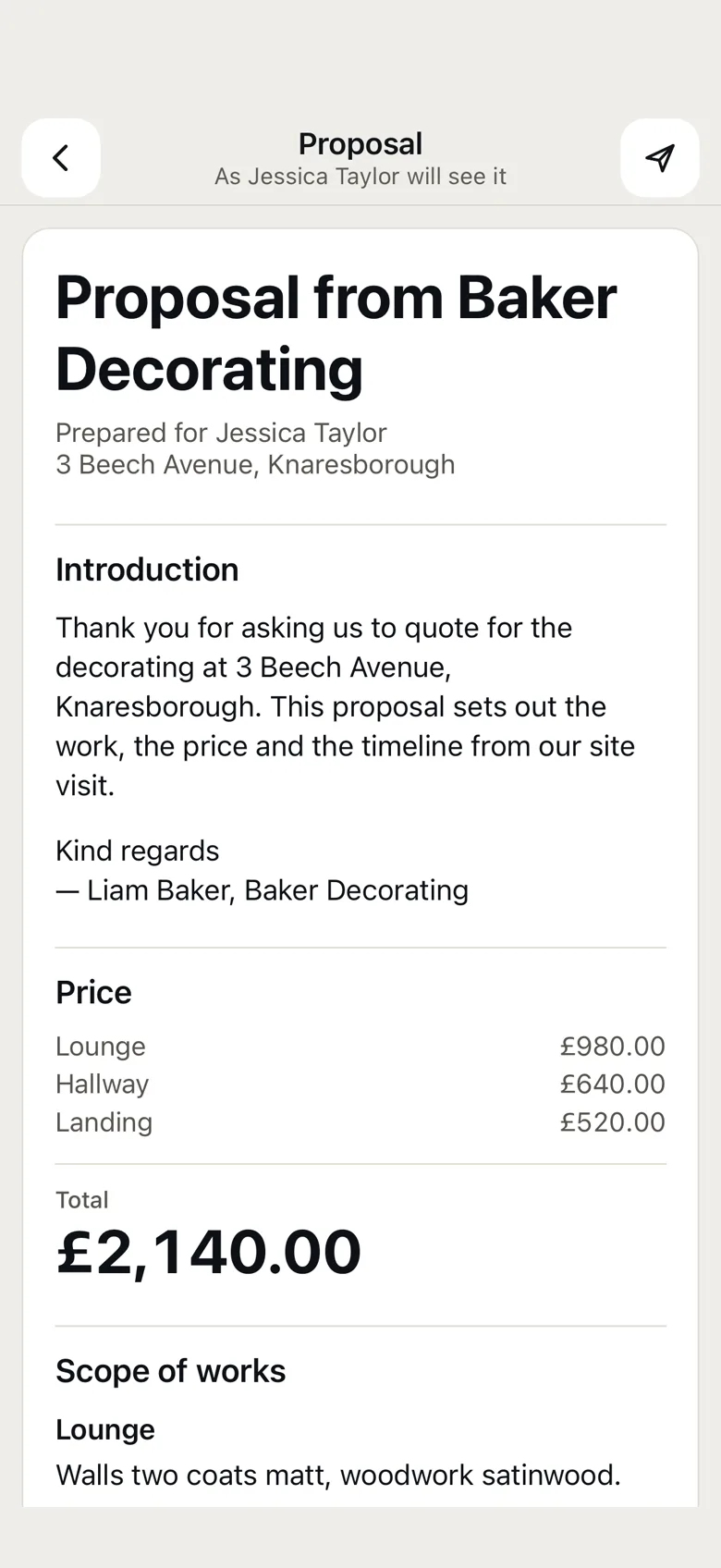
nobla builds a professional proposal from the scope you confirmed: your business name and logo, an introduction, the price and the scope of works room by room. A PDF goes with it.
- Your business name and logo
- Scope of works, room by room
- A PDF alongside the link
Share it with your customer
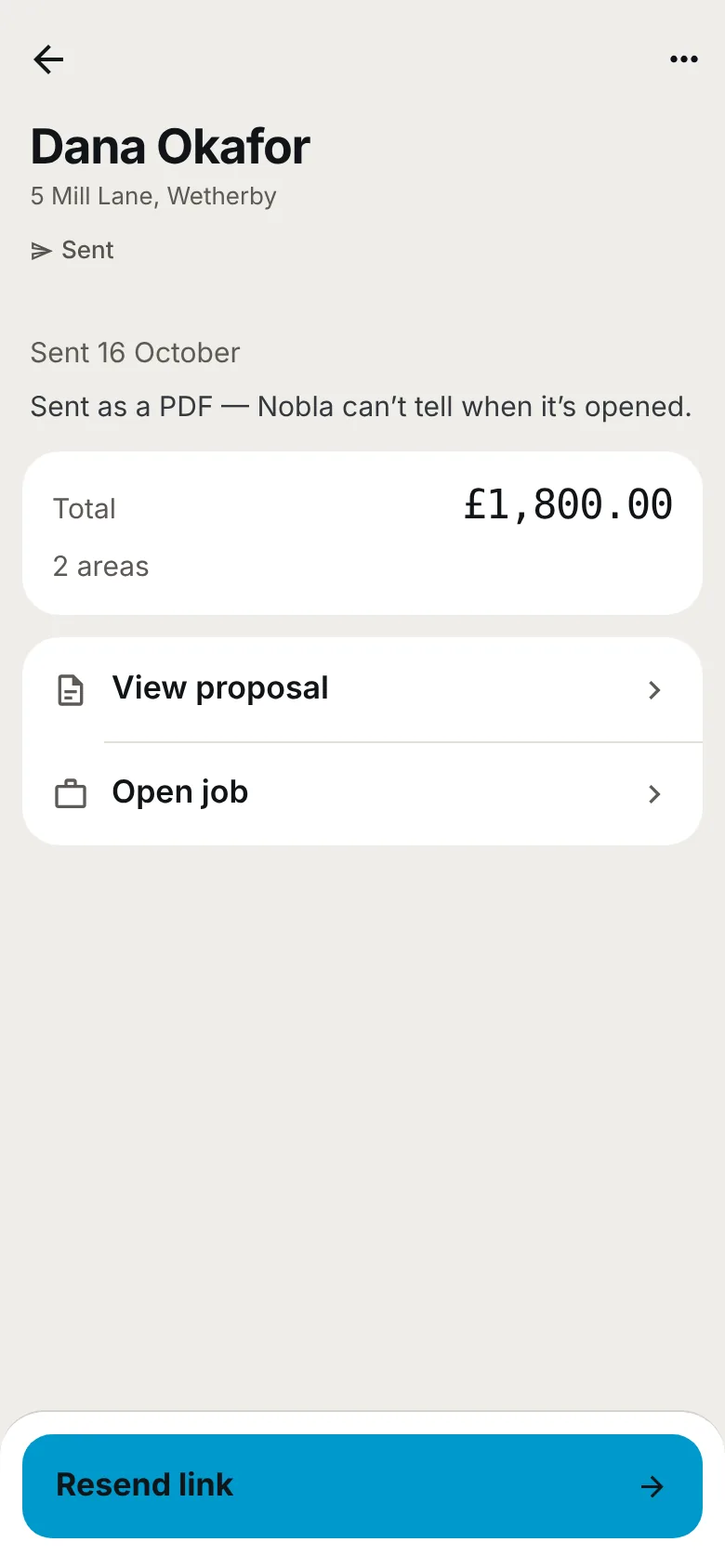
Your customer opens the proposal from a link and approves it on their phone. You see when it’s sent and approved, and you can resend the link. If you change a price after approval, the customer approves the new version.
- Approval from a link, with no app or account
- Sent and approved, at a glance
- Changes need approving again
Who decides what
What your customer tells you, and what you confirm
A Remote Survey gives you useful information before you visit. It never becomes the job on its own.
From your customer
Information to prepare with
- The rooms and what they’d like done
- Their own description of the job
- What they’d like left alone
- Photos and rough sizes, if they have them
From you
The work you’re quoting for
- The surfaces, condition and prep you’ve assessed
- The scope you’ve confirmed, room by room
- Your measurements and your prices
- The proposal your customer receives
A sample job
A landing and stairs, written the way a decorator would
This is the level of detail nobla is built to carry from the survey to the proposal. It’s a sample, not a real customer.
See it on a real job
Every decorator should have nobla in their back pocket.
Book a walkthrough and we’ll show you a survey becoming a professional proposal, on a real decorating job. We reply personally to arrange a time.